GLOS · Global Logistics Operating System

One version of your logistics operation.

Control inventory, planning, transport and deliveries with shared information. GLOS brings together data from your ERP, warehouses and logistics providers, and organises differences and decisions so that every owner can act with context.

  • Master Data
  • Inventory Control
  • IDP
  • TMS
  • Order-to-Delivery
  • Authorization Requests
The problem

Every system tells a different version

  • Reconciling data before deciding
  • Exceptions nobody owns
  • Decisions that lose their trail

Material 1703038 · Location CV02Illustrative example

ERP1,200units
Warehouse1,140units
Logistics provider1,180units
Planning spreadsheet1,200units · 3 days ago

Which one is right? And who decides?

ERP, warehouses, logistics providers, carriers and spreadsheets keep different versions of inventory, demand, capacity and exceptions. The team reconciles before deciding, and traceability is lost when a recommendation moves to execution.

GLOS links operational information, differences and decisions without replacing the systems you already use.

What changes

Shared information

Inventory, planning, transport and deliveries on common references.

Every exception has an owner

Differences become cases that someone investigates and closes.

Decisions with evidence

The recommendation and the decision stay linked to the data that was used.

The platform

One common layer to decide and execute

GLOS combines sources, identifies exceptions, organises decisions and keeps owners and evidence. Your ERP remains the system of record.

ERP · SAP Warehouses Providers Carriers Spreadsheets
GLOS
Differences Decisions Owners History
Six modules, one platform

Start with one. Grow on the same foundation.

Six modules, one platform

Start with one. Grow on the same foundation.

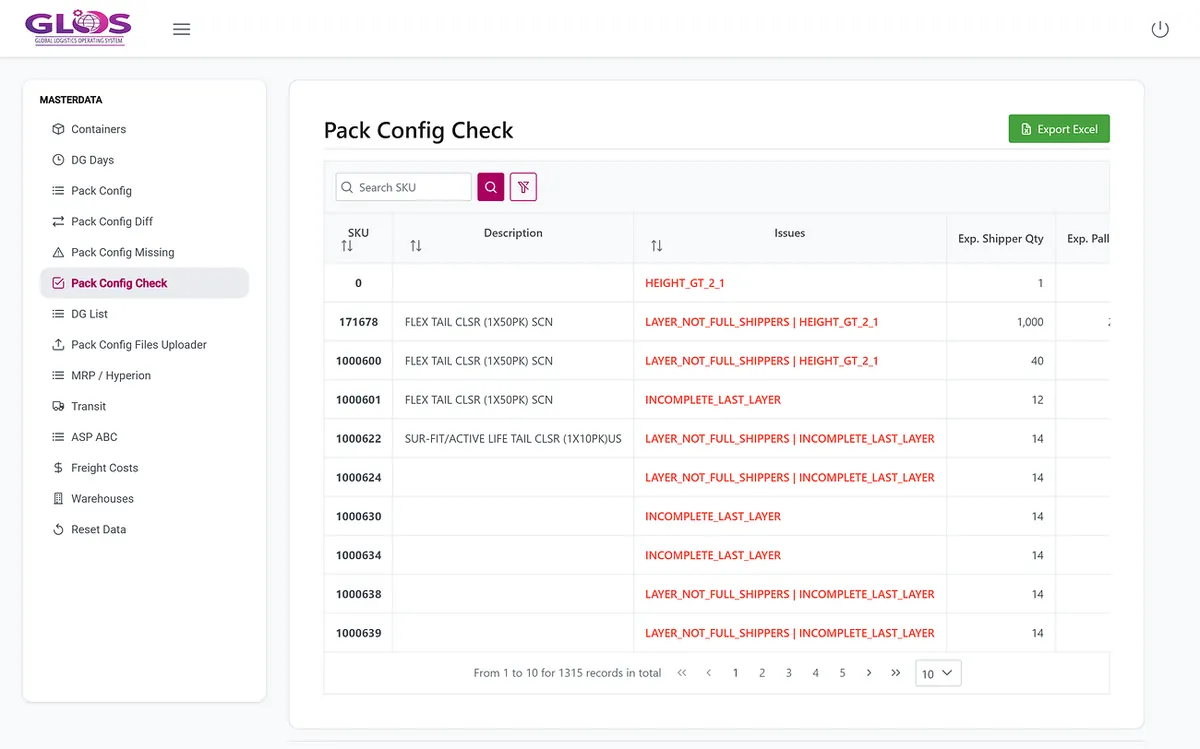
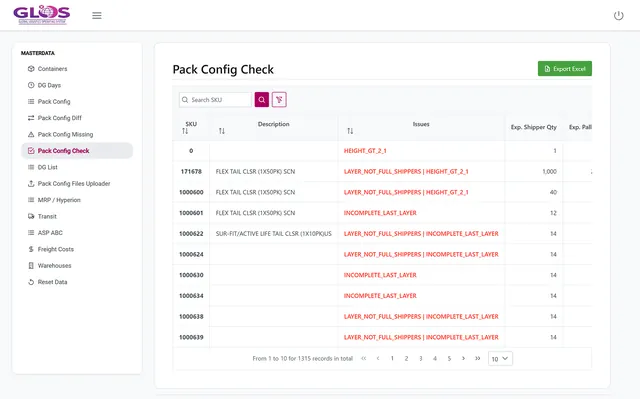
Master Data screenshot: packaging configuration check
01

Master Data

Governs the transit times, capacities and packaging that planning relies on, with changes reviewed before they apply.
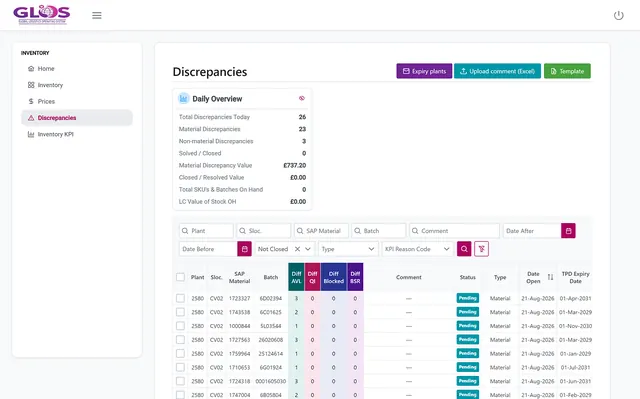
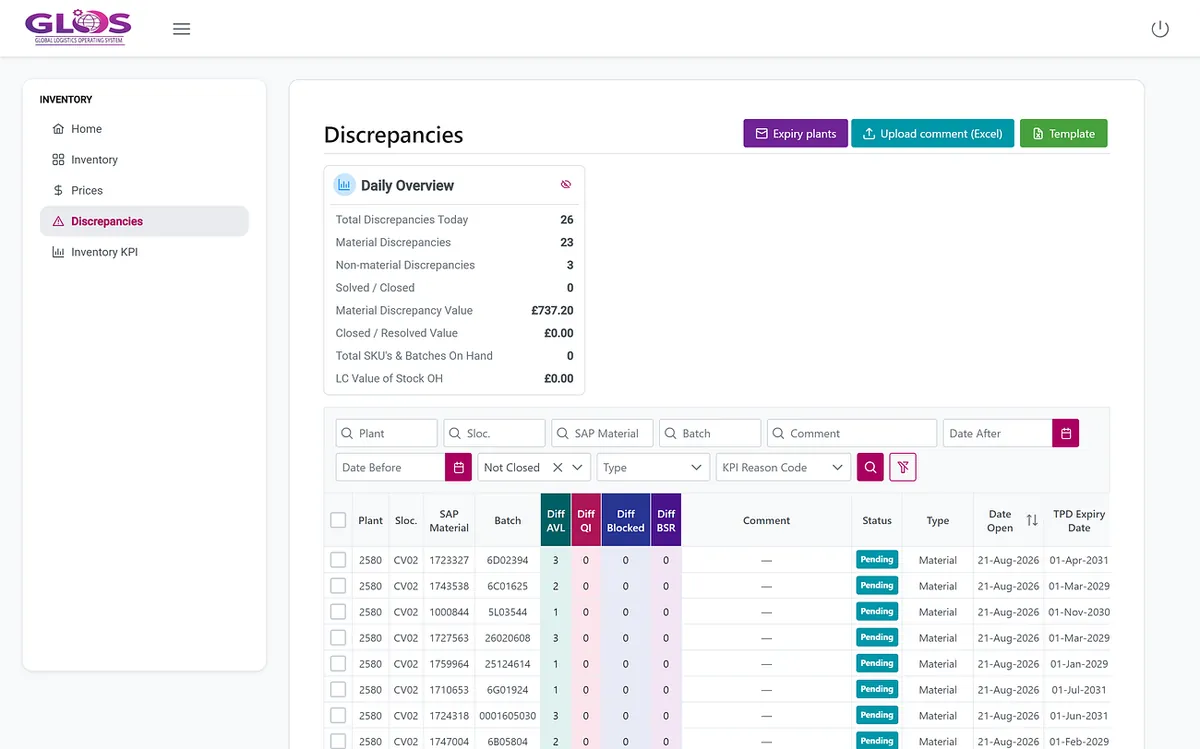
Inventory Control screenshot: list of discrepancies
02

Inventory Control

Compares inventory across ERP, warehouses and logistics providers, shows the differences and helps investigate them.
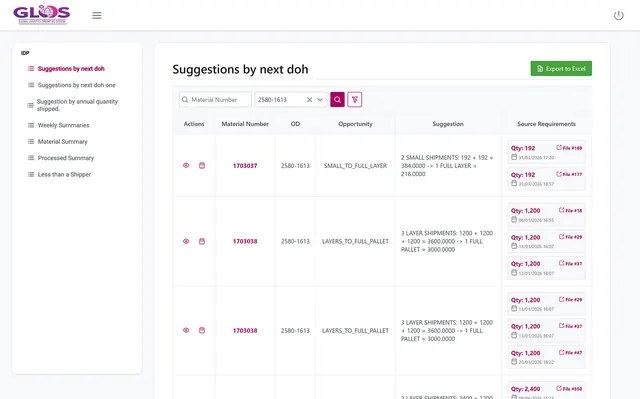
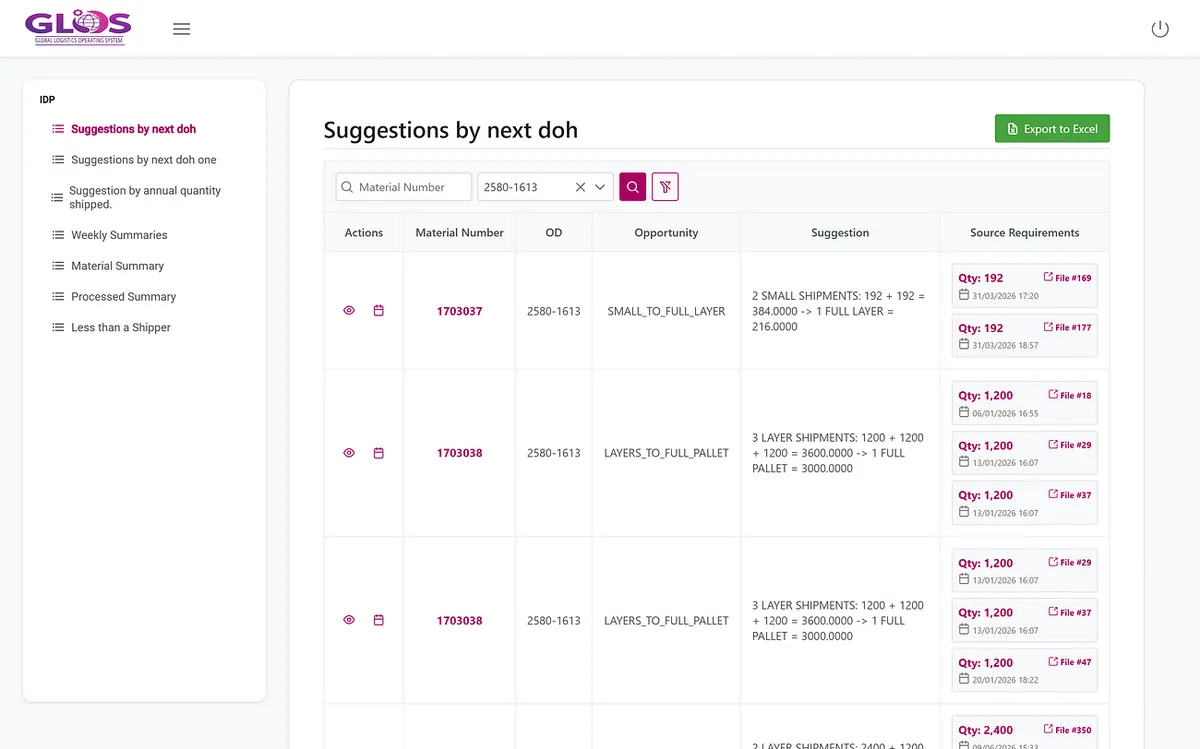
IDP screenshot: replenishment suggestions
03

IDP

Supports reviewing replenishment frequency and unit with requirements, history and forecast. The planner decides.
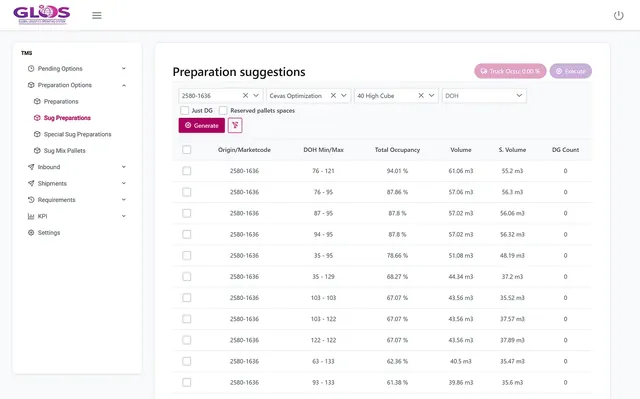
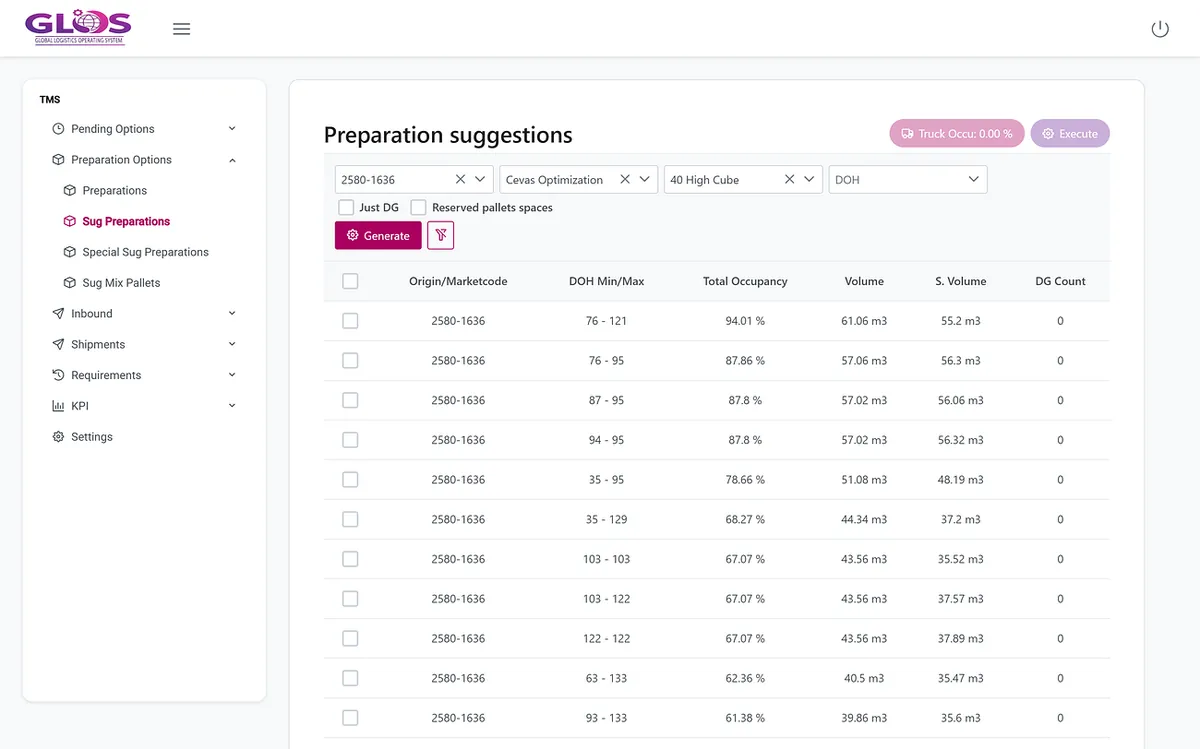
TMS screenshot: preparation suggestions with occupancy
04

TMS

Prepares shipments, compares load alternatives and checks occupancy and pending pallets before dispatch.
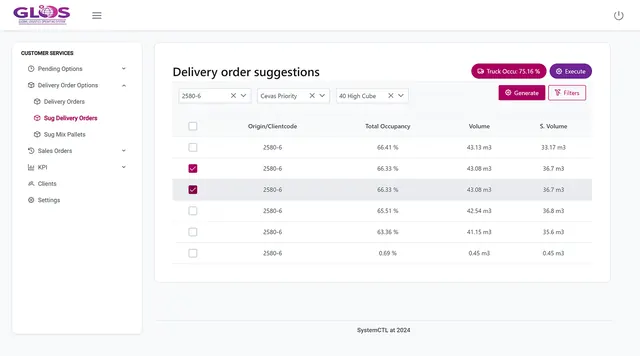
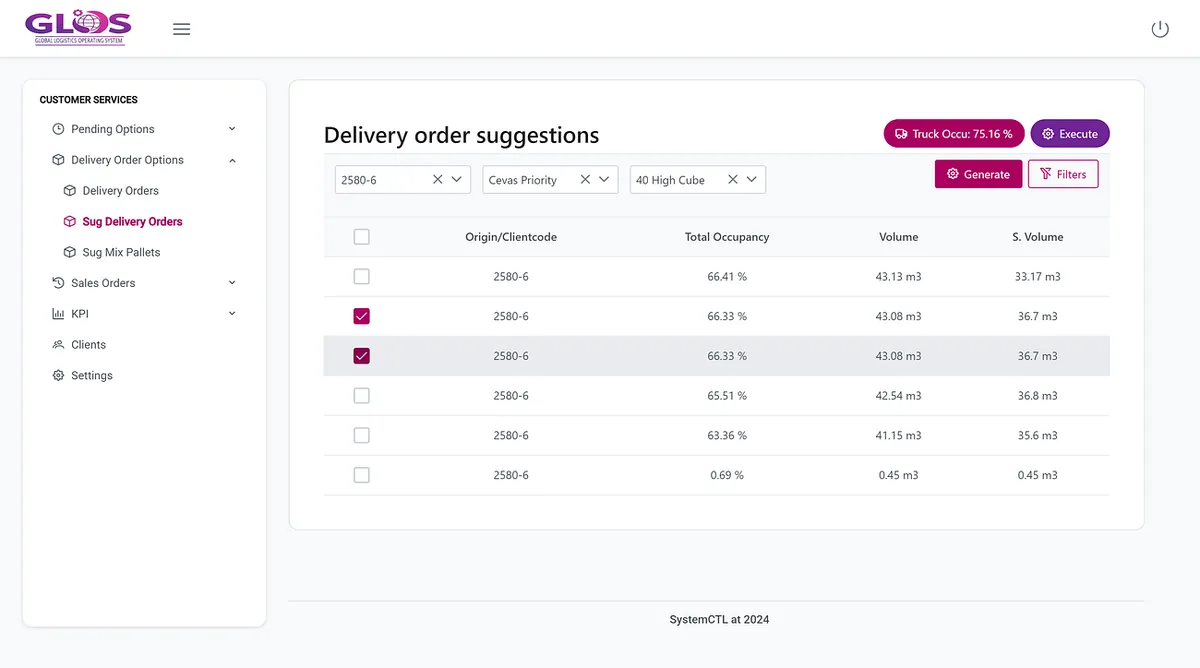
Order-to-Delivery screenshot: delivery order suggestions
05

Order-to-Delivery

Connects sales orders with plans and deliveries, including partial deliveries and their link to invoicing.
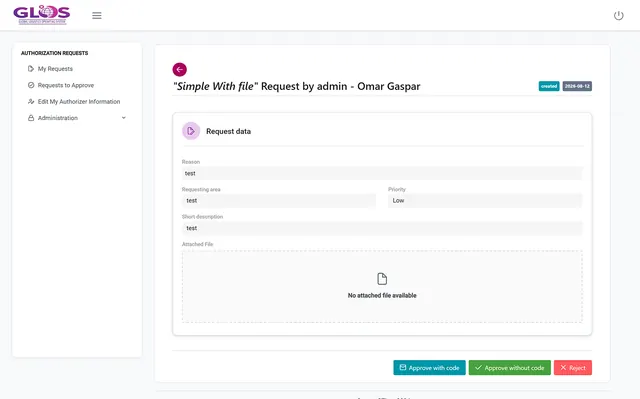
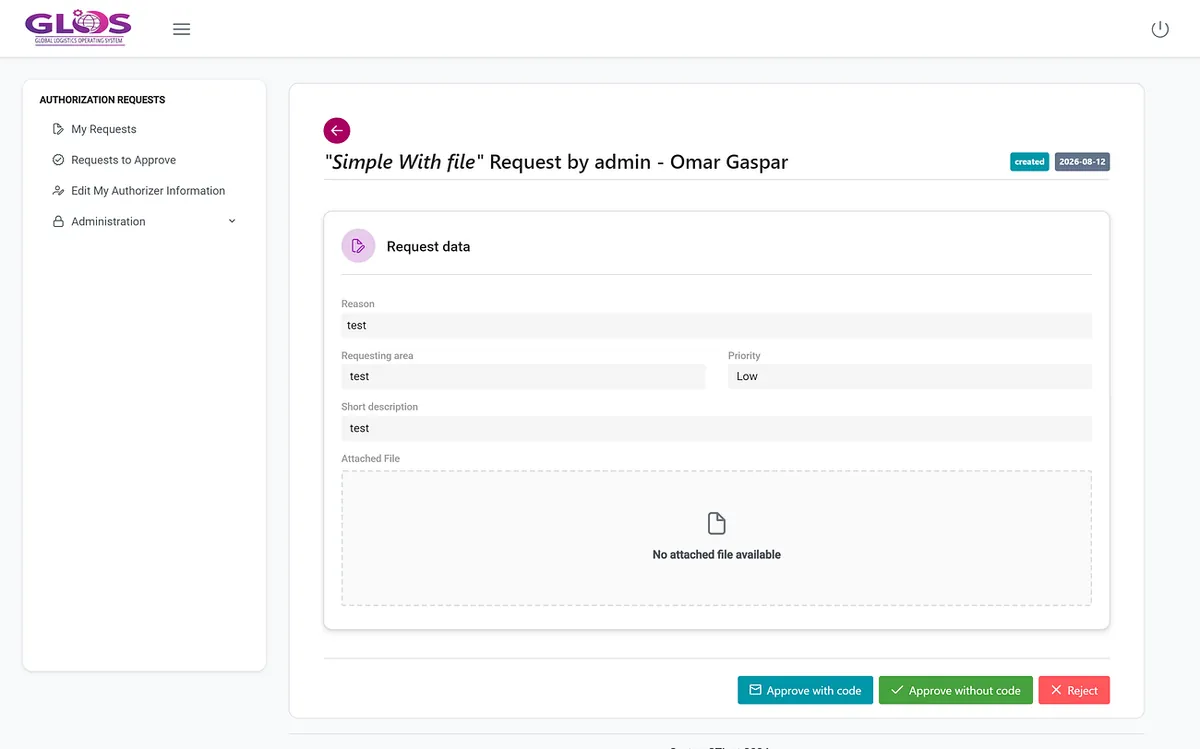
Authorization Requests screenshot: request awaiting approval
06

Authorization Requests

Gathers requests and evidence for approval through the configured channel and keeps the decision and its document.

Application screenshots with demo data. Each module can be implemented on its own.

One case, end to end

A difference between ERP and warehouse, resolved in one case

The difference appears in GLOS with material, location and quantities. The owner investigates the cause and records the resolution without leaving the case.

ERP stock is never changed automatically: decisions follow their authorised workflow.

Inventory Control · Discrepancy Pending
Material
1703038
Location
2580 · CV02
ERP
120
Warehouse
112
Difference
−8
  1. Difference detectedComparison across defined sources
  2. Owner assignedInventory control
  3. Reason verifiedMovement not yet posted in the ERP
  4. Case closedResolution and history in the same case

Illustrative example with fictitious data

A common foundation

Every module shares references, permissions and history

SystemsAgreed connections with ERP, SAP, WMS, warehouses and providers.

DataProducts, locations, quantities, capacities, orders and documents.

RulesUsers, permissions and decisions for each process and owner.

TrackingDifferences, actions and history linked in the same case.

Who it is for

For operations with more than one source of truth

Manufacturers, distributors and logistics providers with complex planning or transport who need a common layer without replacing all their systems at once.

It fits if…

  • Your logistics decisions depend on several spreadsheets.
  • ERP, warehouse and provider don’t match and someone reconciles them by hand.
  • Recurring exceptions eat up the team’s time.
  • You need to know who decided what, and with which data.

What you will be able to check

  • Data reconciled against defined sources.
  • Exceptions assigned and closed with traceability.
  • Decisions backed by data and history.
  • Integrations and data loads monitored.
Modular implementation

Start with the module that has the most impact

GLOS grew out of custom development and is now a modular solution. We agree sources, users, rules and integrations, and expand once the first flow is working.

1

We choose the problem

The costliest decision and the priority sources.

2

We define GLOS Base

Users, data and integrations with your systems.

3

We configure the module

The first module and the validation of its rules.

4

We test the journey

From data entry to decision or execution.

5

We launch and expand

We monitor and add modules on the same foundation.

First step

GLOS Fit & Scope session

We pick one problem, identify its sources and agree a demonstrable journey for the first module.

Book your session
Frequently asked questions

What people usually ask us

Does GLOS replace our ERP?
No. GLOS works on top of the systems you already use, and the ERP remains the system of record. It does not automatically replace the ERP or change critical parameters without the agreed validation.
Do we have to implement the whole suite?
No. You can start with the priority module and expand later. Modules share references, permissions, controls and history, so each one is added on the same foundation.
Which systems does it connect to?
Each implementation defines its systems, sources, rules and integrations: ERP, SAP, WMS, warehouses, providers and spreadsheets. We review what each system offers before agreeing the scope.
Who makes the decisions?
The people who own them. Recommendations, such as replenishment in IDP, are reviewed and confirmed by the planner, and Authorization Requests keeps every approval with its evidence.
What will we see in the demo?
One module with a concrete story, not a tour of every screen: for example, an inventory difference with its detail, its reason and its closure. A demo shows what the product can do; in the Fit & Scope session we check whether your data is ready.
Next step

Your process inside GLOS

  • Which logistics decision depends on several spreadsheets today?
  • Which sources disagree, and who reconciles them?
  • Which exception takes up the most time?

Tell us which logistics process you want to improve. We will show you the module that can help and review the data and connections its implementation needs.

We will only use this information to reply to your request. Privacy policy.